
Short answer
Sandustry’s Blueprint workflow starts with the normal Copy and Paste System. Select a structure with C, copy it with Ctrl+C, open the Building tab, choose Blueprint, and save the latest Clipboard History item with the save icon. Import and export are handled from the Blueprint section; the game creates a shareable string when exporting and accepts a pasted string when importing.
Create and save a Blueprint
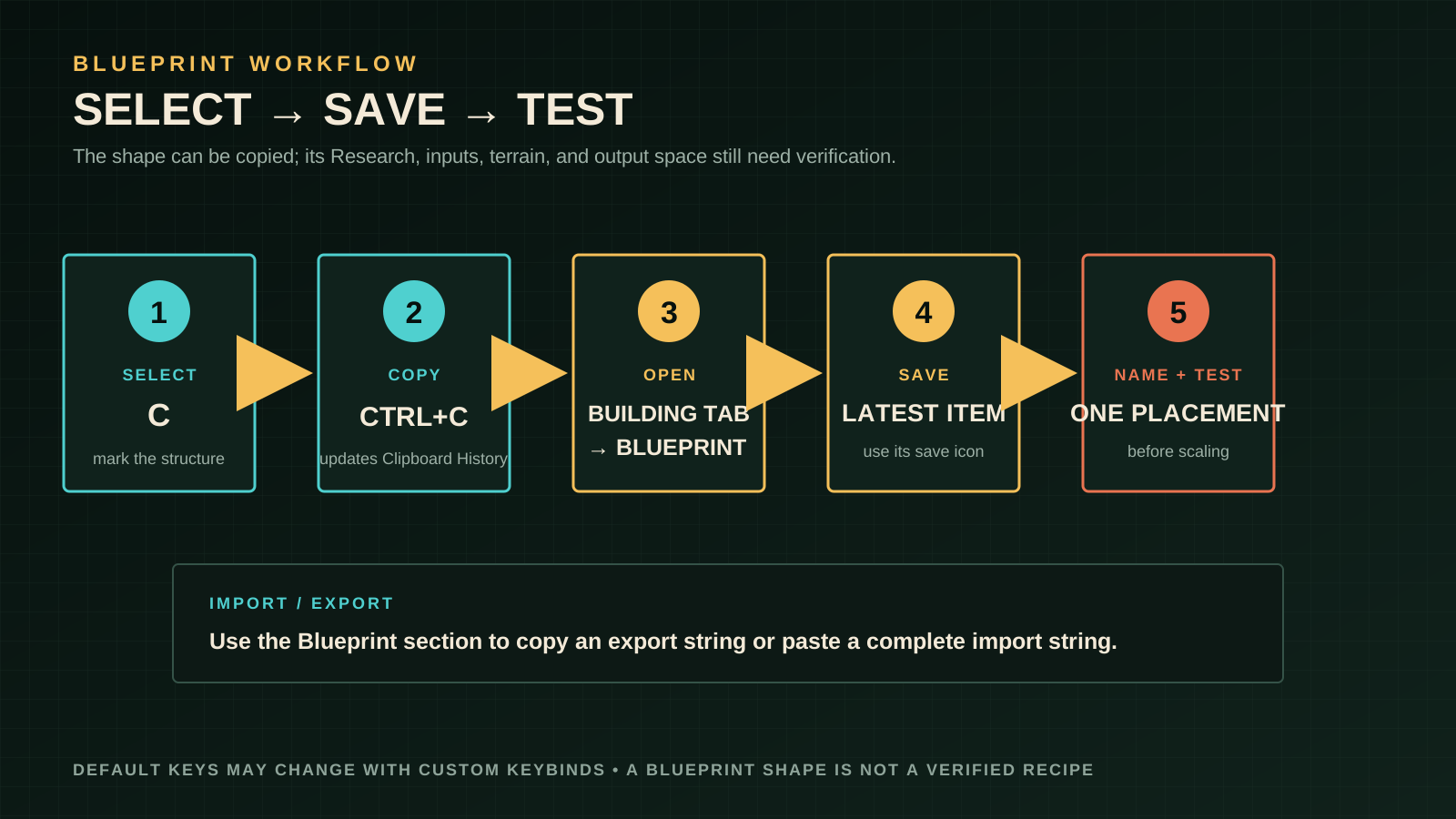
- Press
Cto enter selection mode. - Mark the structure or connected arrangement you want to reuse.
- Press
Ctrl+Cto copy it. Keybinds may differ if you changed them. - Open the Building tab and select Blueprint.
- In Clipboard History, use the save icon on the most recent item.
- Give the Blueprint a name in the game and test one placement before using it in the main factory.
These steps come from the developer-pinned Steam FAQ. This page does not reproduce a Blueprint string, screenshot, or community layout.
Import and export
Open the Blueprint section of the Building tab, then choose Import or Export.
- Export: the game produces a string that you can copy and share through a normal channel.
- Import: choose Import and paste the string into the dialog that appears.
- Flip: the pinned FAQ lists
Ctrl+Has the default shortcut for flipping a copied or selected structure; a custom keybind can change it.
Treat an imported Blueprint as a starting shape, not a guarantee that it fits the current world. Materials, available Research, terrain, and building versions can all make a copied arrangement unsuitable.
Adapt a Blueprint safely
- Place a copy in a test area with visible input and output space.
- Confirm that every building is unlocked in the current save.
- Check the material state and direction of solid and fluid routes.
- Leave room for by-products, heat, and a blockage-clearing path.
- Run one complete input/output cycle before repeating the pattern.
For a Shaker, verify Wet Sand input and Residue output. For a Kinetic Press, verify Burnt Residue reaches the current height requirement and that Gold and Seed have somewhere to fall. For Water and Lava, treat the fluid and thermal boundaries as version-sensitive rather than assuming an imported layout is universal.
Use community blueprint libraries without losing the source of truth
Community tools are most helpful when they reduce search time and make a factory idea easy to inspect. SandustryVault SandPrints organizes shared strings with titles, tags, screenshots, and a review step; its Flow Chart is useful for tracing a material from input to by-product; the Database and Research Tree are convenient lookup surfaces. Treat all four as discovery references, not as a replacement for the current in-game tooltip or official Wiki.
Before copying a community layout, record its intended tier, inputs, outputs, by-products, and the version it was tested on. Recreate it in an empty test cell, then export your own Blueprint after correcting terrain, filter direction, fluid height, and unlocked buildings. This keeps your save reproducible and avoids copying a community string, screenshot, or description into a guide without permission.
The same rule applies to Reddit discussions: recurring questions about Shaker clogs, Wet Sand overflow, filter routing, and factory designs are good signals for a troubleshooting section, but a single comment is not proof of a universal recipe. Use the Beginner Tips, Shaker Setup, Logic, and resource pages to document the verified mechanic and label version-sensitive observations.
Troubleshooting
- `C` does not select: check the current keybind and that you are in a mode where structure selection is available.
- The copied item is not in history: copy again, then check the latest Clipboard History entry in the Building tab.
- The save icon is missing: confirm that Blueprint is selected rather than an ordinary building item.
- Import rejects a string: recopy the complete string, remove accidental spaces or line breaks, and confirm that it came from the current Blueprint workflow.
- The Blueprint places but does not run: check Research unlocks, route direction, input state, power, receiving space, and version differences.
- A flipped layout is wrong: use the current flip shortcut or keybind and test the orientation in an empty area.
Common mistakes
- Treating a Blueprint string as a recipe or pasting it into a different game version without a test.
- Copying a crowded factory before confirming which structures and input/output routes are actually needed.
- Assuming a community layout proves a best throughput or universal world fit.
- Forgetting that a Blueprint can preserve a shape while the current save lacks the required Research.
- Sharing strings, screenshots, or prose copied from another site instead of creating and exporting your own in-game Blueprint.
FAQ
Does a Blueprint include unlocked buildings automatically?
No assumption is safe. Test the placement in the current save and confirm the Research entries yourself.
Can I import a Blueprint from the demo?
Do not assume compatibility. The pinned developer FAQ distinguishes demo and Early Access save and mod systems, but it does not document Blueprint string compatibility. Test any demo Blueprint in a disposable copy of your current build before relying on it, and keep a manual fallback.
Can I flip a Blueprint?
The FAQ lists Ctrl+H as the default shortcut for flipping copied or selected structures. Check your keybinds if it does not respond.
Sources and related links
Sources checked 2026-08-28: the developer-pinned Sandustry Steam FAQ, especially its Blueprint and material-interaction answers; the official Shaker and Kinetic Press pages.
Continue to Beginner Tips, Shaker Setup, Materials, and Tier List before scaling an imported build.